
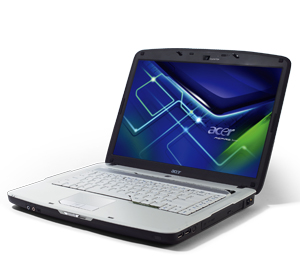
 Acer Inc’s website has published the details of the Aspire 5720 15.4-inch multimedia laptop, featuring the latest Intel “Santa Rosa” notebook platform and the new “Gemstone” design.
Acer Aspire 5720 is powered by Intel Core 2 Duo processor with clock speeds in range from 1.8GHz to 2.4GHz and 800MHz front side bus. Acer’s new consumer notebook comes in two versions: the first feature Intel GM965 chipset and integrated Graphics Media Accelerator X3100, while the second has PM965 chipset paired with the recently announced ATI Mobility Radeon HD X2300 or DirectX 10-ready HD X2400 XT video card. As same as the similar 5920 with nVidia’s graphics, the Aspire 5720 has 15.4-inch high-brightness (220-nits) CrystalBrite TFT LCD with 1280×800 resolution and 8ms response time. The notebook’s sound is powered by Dolby-certified surround system and two built-in Acer 3DSonic stereo speakers.
The 5720 supports up to 4GB of main memory, when used with 64-bit operating system, since the 32-bit OS supports only up to 3GB. This laptop comes with SATA hard drive and DVD burner, but there is also an optional HD DVD optical drive.
Regarding communications, Acer Aspire 5720 provides 802.11a/b/g wireless, Gigabit Ethernet, a 56k modem and an optional Bluetooth. For audio/video conferencing there is Voice and Video over Internet Protocol (VVoIP) support via Acer CrystalEye web camera and an optional Acer Xpress VoIP phone.
The Aspire 5720 has three USB ports, ExpressCard/54 slot, a 5-in-1 card reader, and Firewire port. For external monitor and TV, there are a DVI-D port with HDCP support on models with dedicated graphics, a VGA out and an S-Video out.
Acer Aspire 5720 weigh starting at 6.17lbs with 6-cell battery and comes with Windows Vista Home Premium or Home Basic.
Currently there is no information on pricing and availability date.
Acer Aspire 5720
how does it connect to the internet
Heya guys, i just bought this accer aspire 5720, is it possible to upgrade the graphics card? or is it intergrated.
HELP, HELP, HELP!!!!
I have an Acer Aspire 5720-425B about 1 yr. old which runs on power cord about 90% of the time. The computer has probably less that 50 hours total use in one year.
But when I startup on battery mode, fully charged and on “power saver mode,” I initially show about 95% battery life (1 hour, 50 minutes). After only 7-10 minutes the battery goes dead and the computer shuts down.
It seems either the battery is defective or there is a system short draining the battery. Has anyone had this problem before. I don’t want to get another battery if a short in the computer exists.
Q: Anyone out there have any ideas???
Since the computer is more than 1 year old the warranty is dead so I presume I am SCREWED!
Hello Dan,
finally what did you do? Does it work with the 8600GT?
I’m going to buy one but i’m not sure that it will work with my 5720zg.
Please let me know what happened.
Thanks.
Marc, did you flash you bios in order to get the cpu to work ? , just got a p8700 2,5ghz , and my laptop is starting for maybe 15 secs then it shutdowns . thx ;)
Hello Dan!! I i have upgrade my 5720zg with an 500HDD,3GB memo and a P9900 CPU plus an NVIDIA Geforce 8600 GT!! Its like hell!! Fast,clear and fantastic!!It works!!Good luck in upgrading !!Best luck!!
Hi there, i got a 5720zg , and i have done the following, new cpu 2ghz dual , 4gb memory and now im thinking of buying a 8600m gt card, becouse i got the 9300m g and its not good enough , now , will this card Nvidia Geforce 8600M GT G84M 512MB MXM II: work ?
I am trying to connect my acer aspire 5720 to my Proline LVD 2285WD television, but i am not sure what wire i need to connect the two. what i want is to use the screen as a second monitor.
Hello people I get a problem with my new laptop ACER ASPIRE 5720 I installed some software for bluetooth but they said that DEVICE OF BLUETOOTH NOT FOUND how is this possible when my notebok has bluetooth but how I can enable the blutooth device in it please if anybody can help me I will thank you very much the all …