

The HP EliteBook 8570p belongs to the Hewlett-Packard’s 2012 enterprise laptop lineup. Since it comes in a popular 15.6-inch form factor, this can be easily the best selling EliteBook model from the new Intel Ivy Bridge-based line. Design of the 8570p hasn’t changed noticably, if you compare it to the 8560p released last year. Both laptops are based on aluminum as the main material used on the business-class rugged chassis and feature chiclet spill-resistant keyboards with a stick pointer alongside the touchpad. But, the CPU update with the quad-core Intel i7-3720QM and i7-3610QM on offer is significant and there are some novelites on the new model, such as USB 3.0 technology.
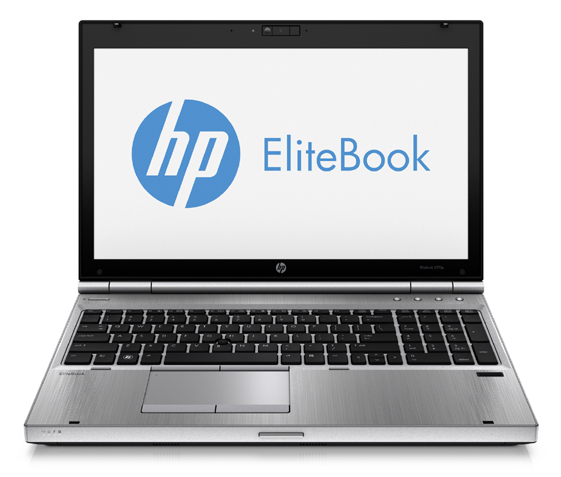
HP EliteBook 8570p Specs
- Display: 15.6-inch 1366 x 768, 1600 x 900 IPS, or 1920 x 1080 IPS; LED backlight and anti-glare on all models
- Processor: 3rd Generation Intel Core Ivy Bridge i7-3720QM (2.60 GHz, 6 MB L3 cache, 4 cores) or i7-3610QM (2.30 GHz, 6 MB L3 cache, 4 cores)
- Graphics: Intel HD 4000 integrated or AMD Radeon HD 7570M (1 GB GDDR5 dedicated)
- RAM: Up to 16GB 1600MHz DDR3
- Storage: Up to 750GB standard HDD or up to 500GB self-encrypted HDD, all on 7,200rpm, or SSD from 128GB to 256GB; additional 500GB HDD instead of the optical drive, if selected
- Optical Drive: Blu-ray Combo, DVD burner, DVD-ROM
- Webcam and Mic: Yes, 720p
- Networking: 802.11n Wi-Fi, optional Bluetooth, optional HSPA+ or EVDO/HSPA mobile broadband, Gigabit LAN
- Ports and Slots: 1 x USB 3.0, 1xUSB 2.0, 1 x eSATA/USB 2.0, DisplayPort, VGA, combo stereo headphone/mic jack, Firewire, ExpressCard slot, Secure Digital card slot, docking connector
- Speakers: Stereo with SRS Premium Sound Pro technology
- Battery life (according to HP): 9-cell (100 WHr) – Up to 13 hours and 30 minutes, 6-cell (62 WHr) – Up to 8 hours and 15 minutes, 3-cell (31 WHr) – Up to 4 hours; Li-Ion in all variants, optional high-durability 6-cell battery
- Other features: Intel vPro, fingerprint reader; docking capability
- OS: Windows 7 Pro, Home Premium or Basic
- Weight: 3.6 pounds or more, depending on configuration
- Dimensions: 14.72 x 9.86 x 1.34 inches
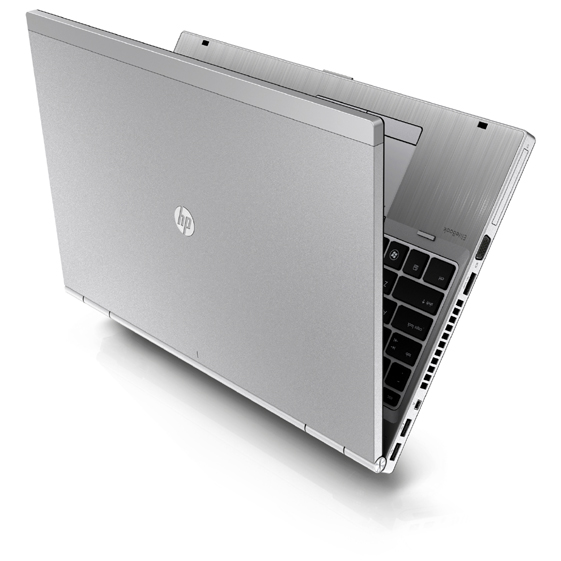

In my personal opinion which opposes john’s opinion. I feel that this laptop was amazing for a personal workstation. The rubber pieces are there usually to help protect the screen from being imprinted by the keyboard. While the switched for the keyboard isn’t the best it does end up becoming forgivable especially when you are writing long emails or essays. I have the 8570p and the 8570w and the only thing that really throws me off is that the p version is so light. Its light enough compaired to something like the 8770w that you feel like you can throw it. I feel like this laptop is really nice for enterprises and personal buisnesses when it comes to your ability to repair this laptop because to get to the cpu and ram and some of those essentials you just gotta pop off the back cover where as in the 8570w you have to dissassemble the chasis a little bit.
Horrible keyboard. Ergonomics are really bad. What is up with the rubber pieces in front of the keyboard? In the way of typing.