
Dell Inspiron 15 7000 7548 Higher-End Mainstream Laptop
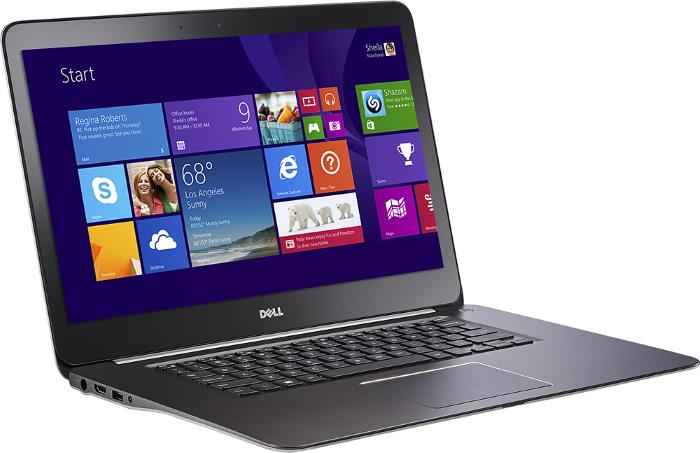
The Dell Inspiron 15 7548 is the latest refresh of the Inspiron 7000 higher-end notebook series. This 15.6-inch laptop packs good performance in a slim aluminum housing and provides high-resolution display options.
As the main differences over the previous 7000 generation, the 7548 brings to the table new Intel processors from the Broadwell family and Ultra HD 3840×2160 display resolution alongside Full HD 1920×1080 option. The available CPU choices are the 5th Generation Intel Core Broadwell i5-5200U and i7-5500U, with upper-mid range computing performance and Intel HD 5500 integrated graphics for gaming on basic detail and resolution settings. If you want smoother gameplay, you can opt for the AMD Radeon R7 M270 4GB dedicated video card. It is however still a low-end discrete GPU solution.
The notebook has two system memory slots, thus it supports up to 16GB RAM. As for storage, it provides 1-Terabyte of hard drive capacity or a 256GB solid state drive, depending on configuration. A DVD optical drive is missing.
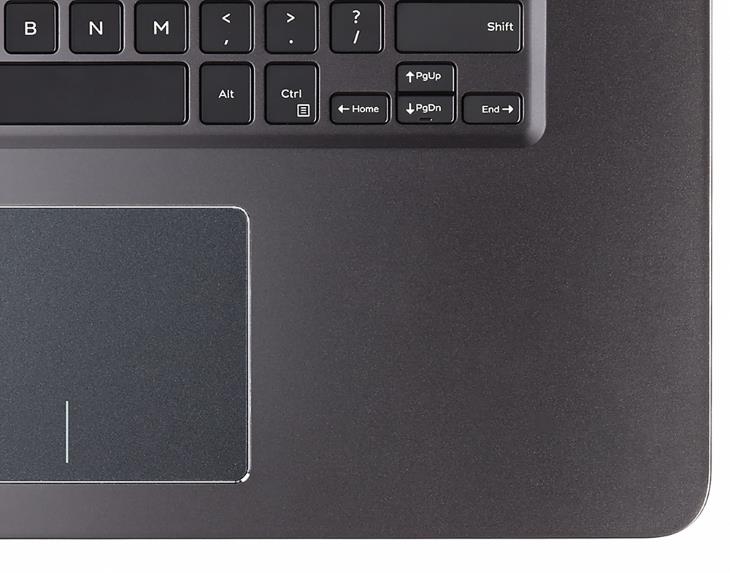
The screen supports touch input and is backed by IPS technology, so wide viewing angles are ensured. The keyboard consists of chiclet style keys with backlight. A dedicated numeric pad has been omitted, but on the positive side the main part of the keyboard and touchpad are perfectly centered on the base of the notebook.
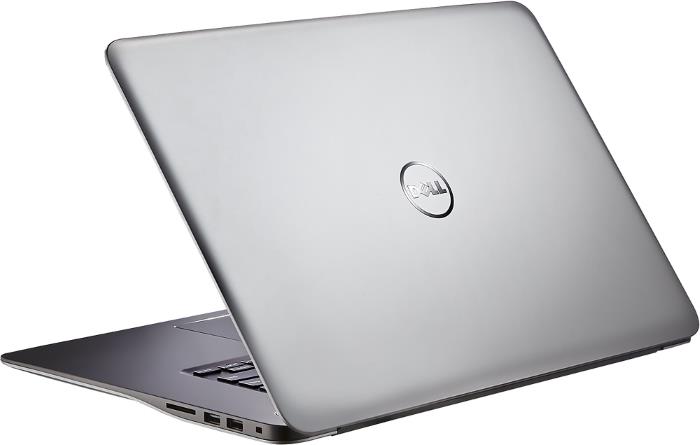
Dell’s Inspiron 15 7548 features a 1.3-megapixel 720p webcam, stereo speakers, 802.11AC Wi-Fi wireless, Bluetooth, two USB 3.0 and one USB 2.0 port, HDMI video output, a media card reader, and an audio combo jack, and optional Intel Wireless Display technology.
The laptop incorporates a either a 3-cell 43 WHr or higher-capacity 4‑cell 56 WHr battery. We have no info on battery life.
The Dell 7548 measures 0.8″ in profile and weighs in at 4.8 pounds.
Overall, the 7548 is a well-equipped all-purpose laptop PC. Even the cheapest configuration ($650) offers good performance and a sharp picture on the display. When you add the attractive aluminum design to the mix, the latest Inspiron 7000 iteration is one of the best buying choices in the mainstream notebook category.
Specifications
| Brand | Dell |
|---|---|
| Screen Size | 15.6-inch |
| Screen Resolution | 1920x1080 pixels Full HD |
| Touchscreen | Finger multi-touch input |
| Other Display Specs | IPS type |
| Processor (CPU) | Intel Core i5-5200U 5th Gen dual-core 2.2-2.7GHz 3MB cache (User Benchmark CPU score: 37) Intel Core i7-5500U 5th Gen dual-core 2.4-3.GHz 4MB cache (User Benchmark CPU score: 42) |
| Graphics (GPU) | AMD Radeon R7 M270 4GB DDR3 dedicated video card (User Benchmark GPU score: 7) Intel HD 5500 integrated graphics (good only for the lightest gaming) |
| System Memory (RAM) Size | 4GB RAM 6GB RAM 8GB RAM 12GB RAM 16GB RAM |
| Data Storage | 256GB SSD 1000GB (1TB) HDD |
| DVD Optical Drive | None |
| Keyboard & Input | Backlit keyboard without dedicated number pad Touchpad with click buttons built into the surface Touchscreen |
| Speakers & Audio | Stereo speakers |
| Camera | Front-facing web camera |
| Wi-Fi Wireless | 802.11AC |
| Ethernet Network Port | No |
| Mobile broadband (4G LTE) | No |
| Bluetooth | Yes |
| USB Ports | 2 x USB 3.0 + 1 x USB 2.0 |
| Video Output Ports | 1 x HDMI |
| Media Card Reader | SD card reader |
| Other Features | Intel Wireless Display (Wi-Di) |
| Battery | 3-cell 43 WHr 56 WHr capacity |
| Weight | 4.8 pounds |
| Height | 0.8" |
| Width | 14.9" |
| Depth | 10.3" |
| Windows Version | Windows 10 Home Windows 8.1 |
| Warranty | 1-year |
User Reviews, Questions and Answers
Below you can read and submit user reviews, questions, and answers about the Dell Inspiron 15 7000 7548. Thank you for your contribution.
Please CLICK HERE to provide e-mail for receiving notifications when there are new replies
(The e-mail won't be used for any other purposes.)
More Related Laptops
-

Asus Vivobook Go L510MA-WS05 Affordable Laptop (15.6″ FHD, Intel Celeron N4020, 4GB RAM, 128GB eMMC, 1-yr Microsoft 365)
200 USD* Read More -

HP 15-fd0079wm / A2BZ8UA#ABA Affordable Laptop (15.6″, Intel Celeron N200, 4GB RAM, 128GB UFS, 12-mo. Microsoft 365)
259 USD* Read More -

Acer Aspire 3 A314-36P-3772 14″ Laptop (FHD, Intel Core i3-N305, 8GB RAM, 128GB SSD)
349 USD* Read More -

Asus Zenbook 14 OLED Q415MA-U5512 Laptop (14″ Touch, Intel Ultra 5, 8GB RAM, 512GB SSD)
800 USD* Read More -

HP Stream 14-cf2733wm / A2BZ1UA#ABA Affordable Laptop (14″, Intel Celeron N4120, 4GB RAM, 64GB eMMC, 12-mo Office 365)
129 USD* Read More -

HP Pavilion Plus 16-ab0010nr / 8B898UA#ABA Laptop (16″, Intel i7, 16GB RAM, 512GB SSD)
1,100 USD* Read More -

ASUS TUF A17 FA706NF-RS51 Gaming Laptop (17.3″ FHD 144Hz, AMD Ryzen 5 7535HS, Nvidia RTX 2050, 8GB RAM, 512GB SSD)
785 USD* Read More -

HP 15-fc0037wm / 7W6H6UA#ABA Laptop (15.6″, AMD Ryzen 5 7520U, 8GB RAM, 256GB SSD)
559 USD* Read More -

Lenovo IdeaPad 1 82QD00APUS Laptop (15.6″, Intel i5-1235U, 8GB RAM, 256GB SSD)
444 USD* Read More
Too Slow to response
HAKIM –
It hangs when working and surfing on internet.Bootup is damn slow and I dont have any software or games yet installed just MS office,Zoom and internet is my usage on it
Notify me of replies Unwatch this thread
Question
Arjay –
can this be used for dual screen monitor
Notify me of replies Unwatch this thread
Dan –
Only the notebook’s screen plus an external monitor via the notebook’s HDMI video out port. You can’t have two external monitors hooked up to this laptop.
Question
Cindy Gullage –
Can I power up my computer using the SUB port.
Notify me of replies Unwatch this thread
Dan –
No, you can’t unfortunately.
Question
Cindy Gullage –
My power cord broke, what do I do
Notify me of replies Unwatch this thread
Rino –
Hi ! I have a dell inspiron 15 7548 with the following specs:
-RAM: 6 Go
-HDD 1 TB
-intel core i5
-GPU: intel hd 5500
But the GPU does not please me besause i am not able to play some games on it due to the GPU I have. Then I want to know if I can add a dedicated graphic card in my pc for smoother gaming experience.
Notify me of replies Unwatch this thread
Dan Z –
Hi, unfortunately, you can’t since laptop graphics cards are generally not upgradeable. Only select high-end laptops have upgradeable graphics.