
HP 14 Laptop 14-dk0028wm (14″, AMD Ryzen 3 3200U, Radeon Vega 3, 4GB RAM, 128GB SSD) – $239 Black Friday
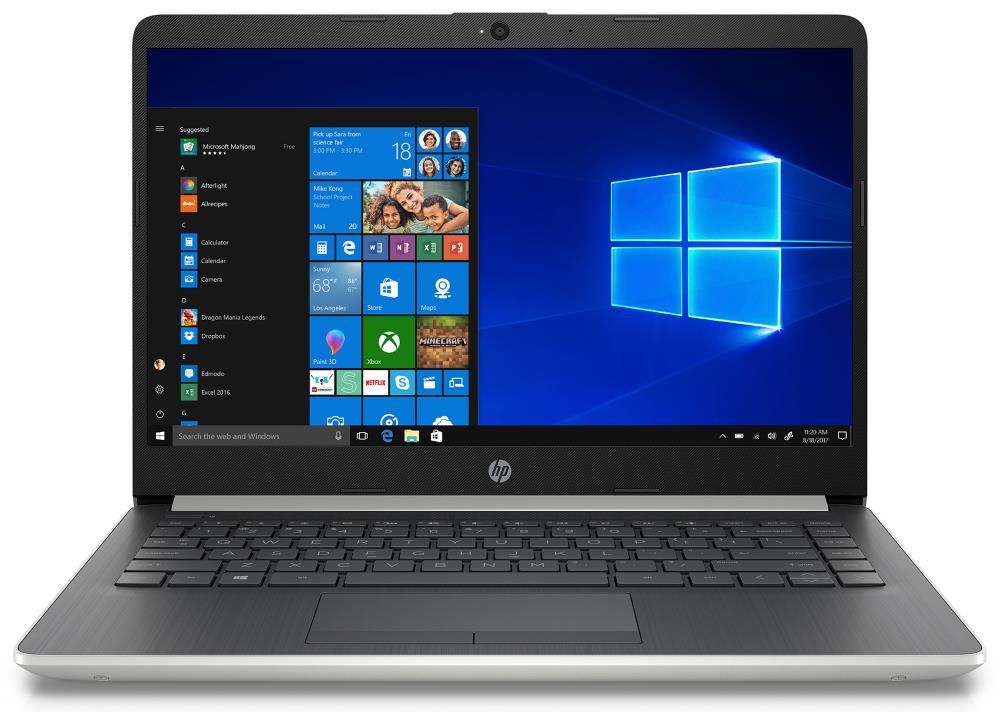
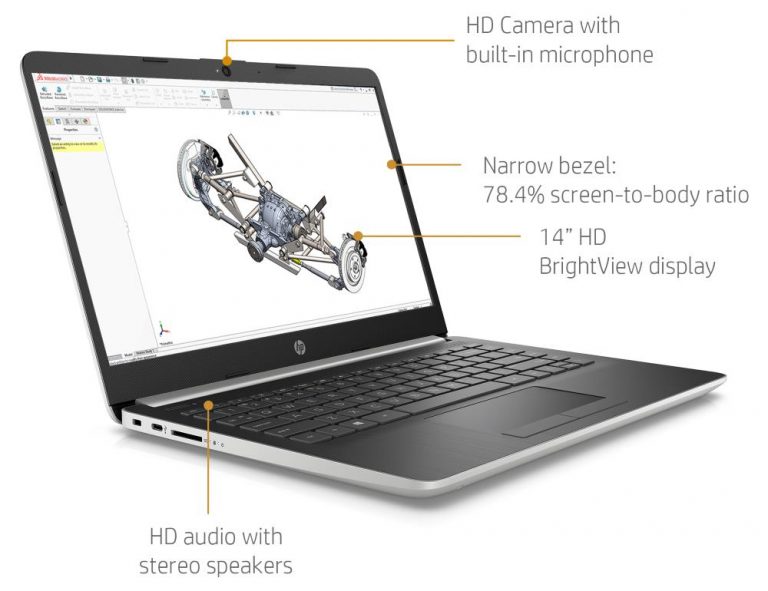
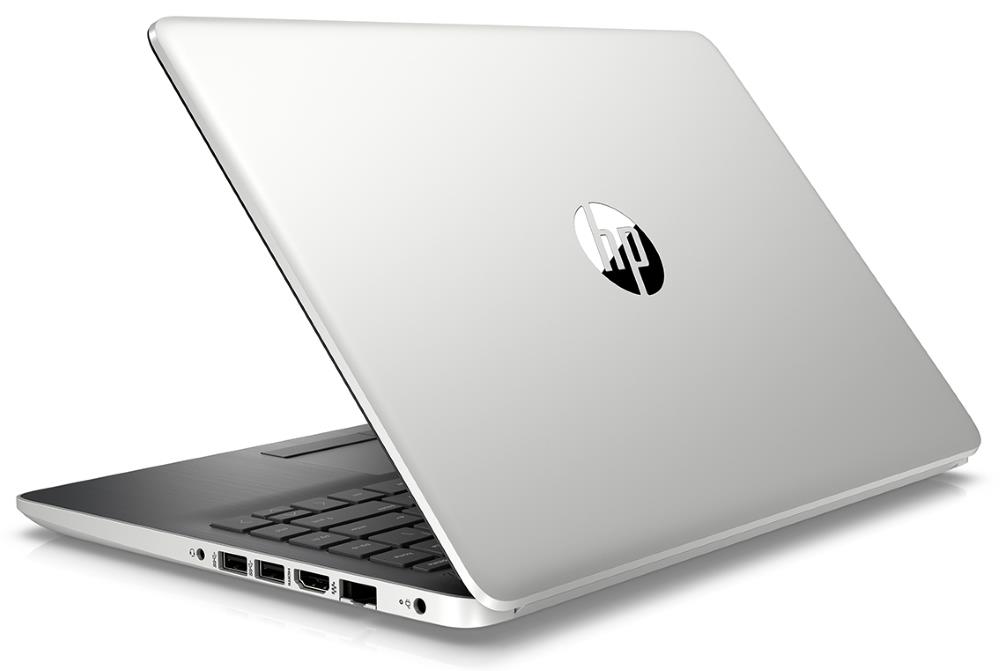
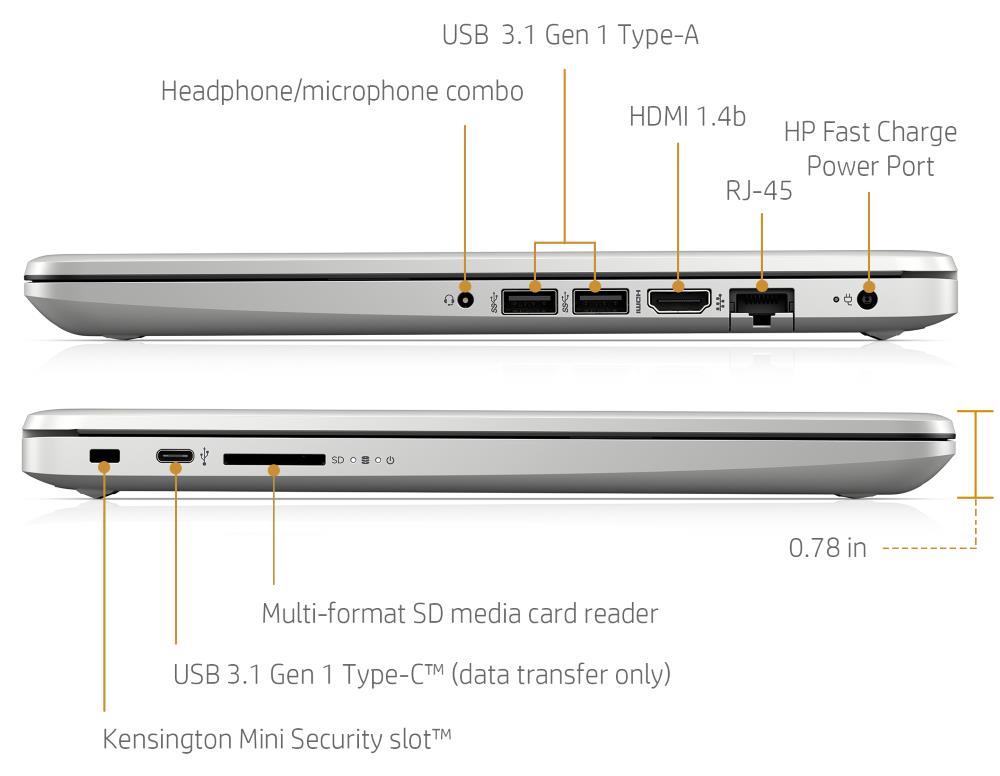
The HP 14-dk0028wm 14″ laptop will be only $239 during Walmart’s Black Friday sales, starting 7:00PM PT / 10:00PM ET on Wednesday, November 27. It won’t be as cheap as the similar 149-dollar 14-df0018wm, but the 14-dk0028wm offers noticeably better performance. That’s primarily because the 14-dk0028wm has the AMD Ryzen 3 3200U processor with Radeon Vega 3 instead of much slower Intel Celeron N4000 with Intel HD graphics. Furthermore, the pricier version of the laptop has 128GB of solid state storage, which is more capacious and faster than 64GB eMMC storage in the cheaper configuration.
Both models feature the same “HD SVA BrightView” 14-inch display with not-so-sharp HD resolution, narrower “standard” viewing angles than on pricier IPS wide viewing angle screens, and glossy instead of anti-glare coating.
The AMD Ryzen 3 3200U is a lower-mid-range laptop processor. The Ryzen 3 3200U is sufficiently powerful for a smooth user experience during the most common computing tasks, such as web browsing, text and spreadsheet document editing, or movie watching. If you’re into heavier tasks like video editing, it’s recommended to get a laptop with a faster (and pricer) processor such as the AMD Ryzen 5 and 7 or Intel Core U i5 and i7 series. The Ryzen 3 3200U has the AMD Radeon Vega 3 graphics integrated in it. The Vega 3 enables playing light PC games and possibly some heavier games on low graphics detail settings, depending on a game title.
As for the system memory (RAM) size of 4GB, it’s on the smaller side. It’s the minimal size you can find in modern laptops. But, it can be enough if you use only a small number of programs or browser tabs at the same time. HP has incorporated a fast but not capacious 128GB solid state drive in the 14-dk0028wm. Although it is double the size of 64GB of the 14-df0018wm, 128GB is still considered to be a low-capacity laptop data storage device. Nevertheless, if you don’t plan to save large amounts of files and extremely big files like high-resolution movies, 128GB can be enough. And, there’s an SD memory card slot you can use to get extra storage space.
The HP 14-dk0028wm with “Whisper Silver” plastic chassis has a medium-sized battery with 41 WHr capacity. HP estimates the 14-dk0028wm can provide “up to 8 hours” of video playback or “up to 7 hours” of video streaming on a single battery charge.
Specifications
| Brand | HP |
|---|---|
| Laptop Type | Standard non-convertible laptop |
| Screen Size | 14-inch |
| Screen Resolution | 1366x768 pixels HD |
| Touchscreen | No touchscreen |
| Other Display Specs | TN type Glossy reflective coating |
| Processor (CPU) | AMD Ryzen 3 3200U (enables smooth everyday computing) |
| Graphics (GPU) | AMD Radeon Vega 3 integrated graphics of Ryzen 3 (for the lightest games only) |
| System Memory (RAM) Size | 4GB RAM |
| Data Storage | 128GB SSD |
| DVD Optical Drive | None |
| Keyboard & Input | Non-backlit keyboard without dedicated number pad Touchpad with separate physical click buttons |
| Speakers & Audio | Stereo speakers Combo microphone and headphones audio jack |
| Camera | Front-facing web camera HD 720p resolution |
| Wi-Fi Wireless | 802.11AC |
| Bluetooth | Yes |
| Ethernet Network Port | Yes |
| USB Ports | 1 x USB-C 2 x USB 3.1 |
| Video Output Ports | 1 x HDMI |
| Media Card Reader | SD card reader |
| Battery | 41 Whr capacity |
| Weight | 3.2 pounds |
| Height | 0.8" |
| Width | 12.8" |
| Depth | 8.9" |
| Windows Version | Windows 10 Home |
| Warranty | 1-year |
| Year of Release | 2019 |
User Reviews, Questions and Answers
Below you can read and submit user reviews, questions, and answers about the HP 14-dk0028wm. Thank you for your contribution.
Please CLICK HERE to provide e-mail for receiving notifications when there are new replies
(The e-mail won't be used for any other purposes.)
More Related Laptops
-

Asus Vivobook Go L510MA-WS05 Affordable Laptop (15.6″ FHD, Intel Celeron N4020, 4GB RAM, 128GB eMMC, 1-yr Microsoft 365)
200 USD* Read More -

HP 15-fd0079wm / A2BZ8UA#ABA Affordable Laptop (15.6″, Intel Celeron N200, 4GB RAM, 128GB UFS, 12-mo. Microsoft 365)
259 USD* Read More -

Acer Aspire 3 A314-36P-3772 14″ Laptop (FHD, Intel Core i3-N305, 8GB RAM, 128GB SSD)
349 USD* Read More -

Asus Zenbook 14 OLED Q415MA-U5512 Laptop (14″ Touch, Intel Ultra 5, 8GB RAM, 512GB SSD)
800 USD* Read More -

HP Stream 14-cf2733wm / A2BZ1UA#ABA Affordable Laptop (14″, Intel Celeron N4120, 4GB RAM, 64GB eMMC, 12-mo Office 365)
129 USD* Read More -

HP Pavilion Plus 16-ab0010nr / 8B898UA#ABA Laptop (16″, Intel i7, 16GB RAM, 512GB SSD)
1,100 USD* Read More -

ASUS TUF A17 FA706NF-RS51 Gaming Laptop (17.3″ FHD 144Hz, AMD Ryzen 5 7535HS, Nvidia RTX 2050, 8GB RAM, 512GB SSD)
785 USD* Read More -

HP 15-fc0037wm / 7W6H6UA#ABA Laptop (15.6″, AMD Ryzen 5 7520U, 8GB RAM, 256GB SSD)
559 USD* Read More -

Lenovo IdeaPad 1 82QD00APUS Laptop (15.6″, Intel i5-1235U, 8GB RAM, 256GB SSD)
444 USD* Read More
Muhammad Hassan –
Can i use hdd and ssd at a time in this laptop?
Notify me of replies Unwatch this thread
Dan –
Yes, you can, since the laptop has an empty HDD bay besides the M.2 SSD slot. However, the mounting kit for the HDD drive is not included, as shown in this video: https://youtu.be/4WHMb6tqfPo?t=432
Question
JK –
Why my laptop won’t boot after installing new ram. the ram is Kingston 8gb 2666Mhz
Notify me of replies Unwatch this thread
James –
Hello JK,
In general, mixing and matching different RAM sizes, speeds, and brands can lead to issues, and the stick you have chosen seems to be very different than the stock one. Also note that the speed of your ram will be limited to 2400MHz, as it always limits to the lower of the 2 sticks (assuming you are ADDING an extra stick and not replacing the current one). I can’t give you a definite answer on the exact reason that it won’t boot, but there could be a compatibility issue, your RAM slot could be dirty and simply need cleaned, or you could have a bad stick.
If you’d like a link to a stick that will definitely work in this laptop, I can link you one on amazon. (I bought it and have had no issues. Snapped it in and worked off boot.)
Question
Alexis –
Saben si éste portátil tiene espacio para colocar otro disco duro aparte del ssd que viene por defecto
Notify me of replies Unwatch this thread
Question
Nouras Elias –
I have the Ryzen 3 Version. It has (1) Samsung 4GB memory stick. Max memory speed is 2400MHz; however, when looking up the specifications on the part number of installed RAM – it is 2666MHz. I know it is operating at 2400MHz, because thats the max. According to the manual this PC supports dual channel. If I was to buy an additional Memory stick – would buying a 2400MHZ one affect the dual channel ability? I was always taught that you can mix and match memory capacities(i.e. 1x4GB + 1x8GB = 12GB Total), but not to mix memory speeds(MHz). Since, the RAM is operating at 2400MHz, but it is actually a 2666MHz module – which speed should I purchase?
I am looking for an 8GB to add to the 4GB. This laptop is only being used for work, but work requires a lot of pictures. Opening my gallery takes a while.
Notify me of replies Unwatch this thread
Dan –
Hi, RAM speed doesn’t affect dual channel capability. You can mix 2400MHz and 2666MHz modules and have dual channel setup. They will both run on the lower 2400MHz speed.
Generally, if you mix RAM modules with different speeds, they will work together fine, but always on the lower speed of the two. In this case 2400MHz.
Of course, the module types must be compatible. It’s impossible to mix DDR3 and DDR4.
Memory upgrade
Robert Genovese –
Memory on the Ryzen 3 version is dual slot DDR2400 capable of up to 16g total . A9, A6 and A4 is single slot DDR1866 up to 8gb total.
Notify me of replies Unwatch this thread
Robert –
In other words YES, you can upgrade the memory after taking the unit apart, but the processor version will dictate the RAM speed and size.
MChand –
Are both memory slots removable or is one soldered the motherboard?
Robert –
Both memory slots are soldered to the board, i think you meant the memory STICKS. They are removable and upgradeable
anonymous –
of course the slots are soldered to the board, you smart-ass! U know what he was asking.
Coyote –
As a matter of clarification, the Ryzen 3 models (14-dk0028wm and 14-dk1025wm) can actually go up to 32Gb of DDR4 2400Mhz.
Question
Brian –
Can I update the graphics card
Notify me of replies Unwatch this thread
Dan –
No, the graphics processor isn’t upgradeable on this laptop and on vast majority of other laptop models, unfortunately.
Malcolm –
Can i possible add / upgrade the SSD ?
Notify me of replies Unwatch this thread
Atsu –
Yes you can the compatible ssd form factors are on the user guide it’s an M.2 Sata-3 dad, but I am not sure of the slot type
Coyote –
It’s a slot M and it is NVMe compatible, so go nuts. on the 0028 model, there is a provision to install a 2.5″ SSD, but the mounting bracket and ribbon cable must be purchased separately.
Michael Mitchell –
can you update the ram and storage on this laptop? And what is the max spec that you can upgrade it to?
Notify me of replies Unwatch this thread
James –
I would like to know this too. Thanks!
Francis K Tse –
According to the HP Maintenance and Service Guide for
HP 14 Laptop PC http://h10032.www1.hp.com/ctg/Manual/c06242992, there appears to be only one memory slot. But the slot appears to support both 4 GB and 8 GB modules. So updating is possible but it is a replacement and not addition.
Dan –
I have this laptop it has two ram slots with a amd capacity of 32 gb of ram. I added two 8gb crucial 2400 mhz ram sticks in mine it helps out greatly with gaming. This laptop also has a space for a 2.5 inch internal drive but it will need a ribbon to sata 3 connector and a drive holder both can be found on eBay for pretty cheap. What I did instead was bought a external 3.0 drive and internal 2.5 inch pny SSD 120gb and a enclosure that runs USB c. I have yet to test the diy external but I’m assured it should work fine on the USB c port.
Omar W. –
Hi. Can you link the SATA 3 ribbon for this particular model?
Redd –
@Dan “What I did instead was bought a external 3.0 drive and internal 2.5 inch pny SSD 120gb and a enclosure that runs USB c. I have yet to test the diy external but I’m assured it should work fine on the USB c port.”
Hi, how fast you get on that enclosure? does the speed works fine or get slower?
Diane –
Question: Does this computer have, or accept, a SIM card to be able to use it with my Verizon wireless service? Thanks.
Notify me of replies Unwatch this thread
Dan Z –
No, it doesn’t have a SIM card slot unfortunately. So if a SIM card is required for your connection to Verizon, you’ll have to use an accessory with SIM, such as a mobile broadband router with SIM or a USB stick with a SIM. For networking, this laptop has built-in Wi-Fi wireless and an Ethernet LAN network port.
Jerry Poo Poo Pants –
Cornpop was a bad dude. America voted for this idiot. Sad.