
HP Pavilion 17-e118dx Cheap Big-Screen Laptop

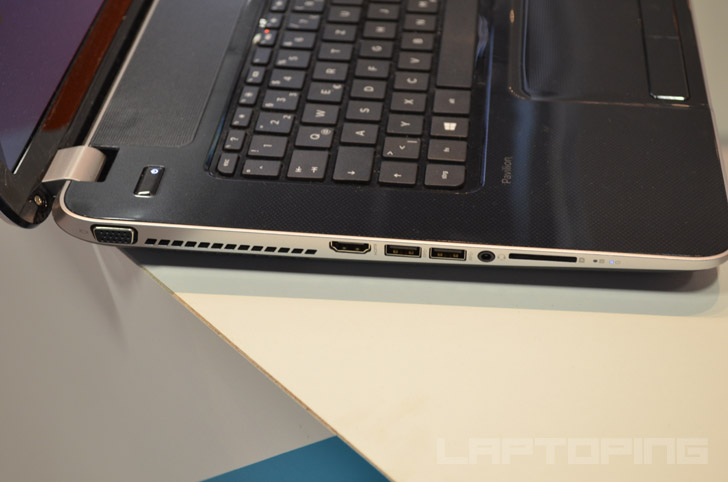
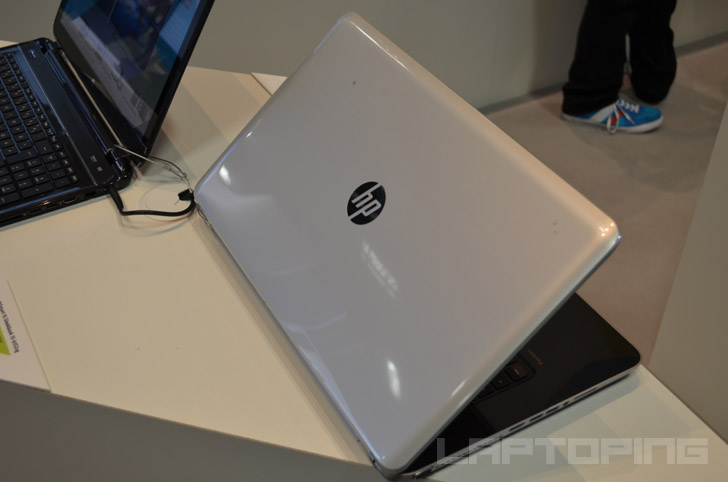

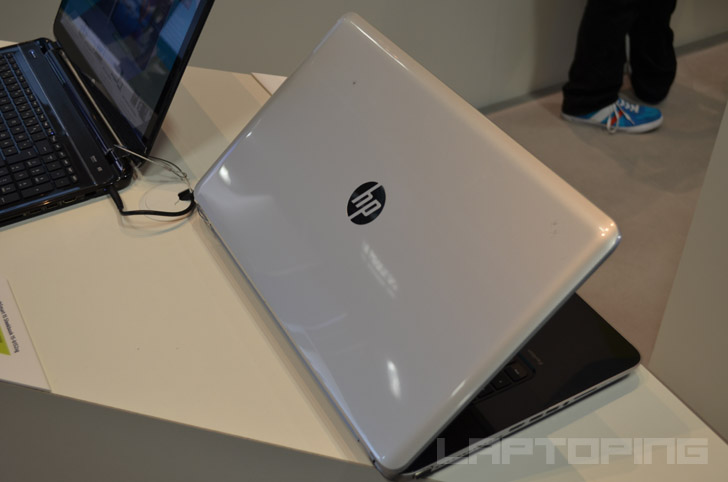
The HP Pavilion 17-e118dx is a large 17.3-inch affordable laptop computer, based on the AMD A8-4500M processor and 4GB of RAM, which are good enough for your daily web and office tasks, as well as multimedia playback. The spacious display has a resolution of 1600×900 pixels, which is an ordinary one for a 17.3-incher. Data storage space is generous 750GB instead of usual 500GB. This laptop is made of plastics and has a keyboard with numeric pad. The 17-e118dx weighs in at 6 pounds so it is obviously rather a desktop replacement laptop than a travel companion. It’s 1.3-inch thick. The interior of the chassis is glossy black with dotted pattern. The lid is silver-colored.
The included A8 processor is from the previous generation of AMD CPUs, which is less power efficient than the latest A8 and some handy laptop features are missing such as keyboard backlight. But, the 17-e118dx offers enough for your buck and is probably the best-priced budget-class 17.3-incher on the market at the time of this writing.
Note: The 17-e118dx is the same as the older 17-e113dx, which is discontinued now.
Specifications
| Brand | HP |
|---|---|
| Screen Size | 17.3-inch |
| Screen Resolution | 1600x900 pixels HD+ |
| Touchscreen | No touchscreen |
| Other Display Specs | TN type |
| Processor (CPU) | AMD A8-4500M quad-core 1.9-2.8GHz 4MB cache (User Benchmark CPU score: 24) |
| Graphics (GPU) | AMD Radeon HD 7640G integrated graphics (User Benchmark GPU score: 4) |
| System Memory (RAM) Size | 4GB RAM |
| Data Storage | 750GB HDD |
| DVD Optical Drive | DVD writer |
| Keyboard & Input | Non-backlit keyboard with dedicated number pad Touchpad with separate physical click buttons |
| Speakers & Audio | Stereo speakers |
| Camera | Front-facing web camera |
| Wi-Fi Wireless | 802.11N |
| Ethernet Network Port | Yes |
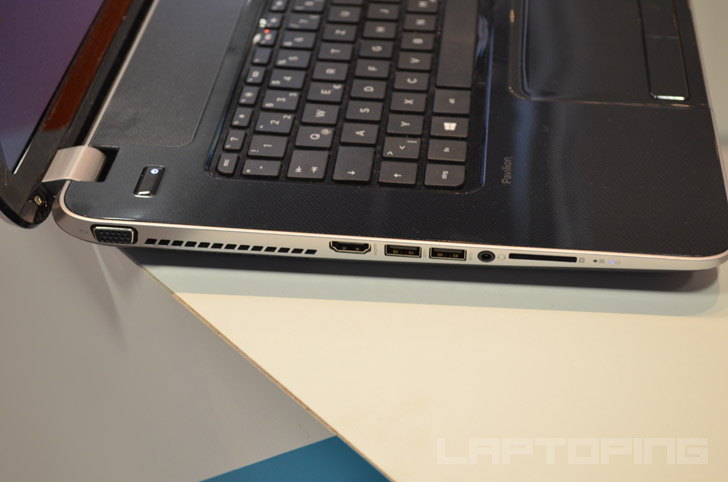
| USB Ports | 2 x USB 3.0 + 1 x USB 2.0 |
| Video Output Ports | 1 x HDMI + 1 x VGA |
| Media Card Reader | SD card reader |
| Battery | 6-Cell |
| Weight | 7 pounds |
| Height | 1.3" |
| Width | 16.5" |
| Depth | 10.5" |
| Windows Version | Windows 8.1 |
| Warranty | 1-year |
User Reviews, Questions and Answers
Below you can read and submit user reviews, questions, and answers about the HP Pavilion 17-e118dx. Thank you for your contribution.
Please CLICK HERE to provide e-mail for receiving notifications when there are new replies
(The e-mail won't be used for any other purposes.)
More Related Laptops
-

Asus Vivobook Go L510MA-WS05 Affordable Laptop (15.6″ FHD, Intel Celeron N4020, 4GB RAM, 128GB eMMC, 1-yr Microsoft 365)
200 USD* Read More -

HP 15-fd0079wm / A2BZ8UA#ABA Affordable Laptop (15.6″, Intel Celeron N200, 4GB RAM, 128GB UFS, 12-mo. Microsoft 365)
259 USD* Read More -

Acer Aspire 3 A314-36P-3772 14″ Laptop (FHD, Intel Core i3-N305, 8GB RAM, 128GB SSD)
349 USD* Read More -

Asus Zenbook 14 OLED Q415MA-U5512 Laptop (14″ Touch, Intel Ultra 5, 8GB RAM, 512GB SSD)
800 USD* Read More -

HP Stream 14-cf2733wm / A2BZ1UA#ABA Affordable Laptop (14″, Intel Celeron N4120, 4GB RAM, 64GB eMMC, 12-mo Office 365)
129 USD* Read More -

HP Pavilion Plus 16-ab0010nr / 8B898UA#ABA Laptop (16″, Intel i7, 16GB RAM, 512GB SSD)
1,100 USD* Read More -

ASUS TUF A17 FA706NF-RS51 Gaming Laptop (17.3″ FHD 144Hz, AMD Ryzen 5 7535HS, Nvidia RTX 2050, 8GB RAM, 512GB SSD)
785 USD* Read More -

HP 15-fc0037wm / 7W6H6UA#ABA Laptop (15.6″, AMD Ryzen 5 7520U, 8GB RAM, 256GB SSD)
559 USD* Read More -

Lenovo IdeaPad 1 82QD00APUS Laptop (15.6″, Intel i5-1235U, 8GB RAM, 256GB SSD)
444 USD* Read More
Noah Seals –
Its a very good laptop I just can’t get the hdmi to switch 🙁
Notify me of replies Unwatch this thread
5 out of 5
Gabriel –
This is a 5 star rating with a “but” or two. First, this is my first HP and my first AMD, thus I have nothing to compare it to regarding my observations. Overall this is both the least expensive and highest performing laptop I’ve owned, in a field of 9. Clearly AMD processors do not have the performance of Intel’s, but apparently within AMD-land this one is a high performer. Maybe some kudos also go to Windows 8.1, for which I stay on the “desktop” side, that is, I don’t use the “market/modern apps/tiles” as they are alternately referred to.
I have found all operations fast and smooth, memory management excellent, sleep and wake function crisply, the computer runs cool (thus the fan runs a lot, but is quiet) and it has the best keyboard I’ve had. The trackpad also has as great feel, a textured one. By the way, I don’t play games, rather I bought this AMD because of the overall package at a smokin’ $369.
Now for my 2 issues. The big issue, for which I am working with HP to figure out and resolve, is that certain operations overly tax the processor, causing it to run high, such as opening many applications, and running some common ones like any videochat client (Skype, Google Hangouts, Facebook videochat). This is mostly not a critical issue, but I have seen the processor hang out between 80 and 100 % while using Google Hangouts. The other issue is that the display has a washed-out look. It is very sharp in terms of resolution, but the contrast is off, and attempting to manually adjust the contrast, whether increasing or decreasing, makes it worse. It isn’t terrible, just apparent.
Overall I am very happy, maybe elated with this laptop, and imagine that others priced about $200 will be comparable.
Notify me of replies Unwatch this thread