
Lenovo IdeaPad 120S-11IAP 81A40025US Cheap 11.6″ Laptop (Intel Celeron, 2GB Memory, 32GB eMMC Storage, Gray)
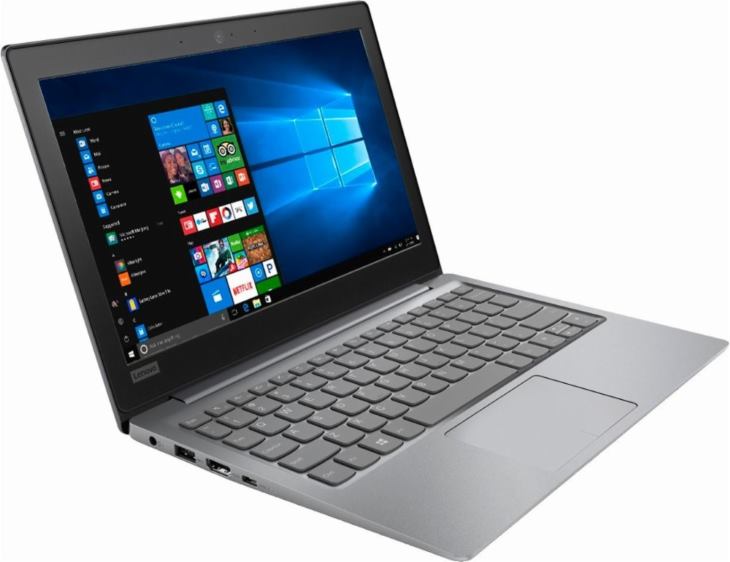
The Lenovo IdeaPad 120S-11IAP 81A40025US is a very cheap 11.6-inch mini-laptop. It’s a kind of a famous model, since it was included in Best Buy’s Black Friday ad as the cheapest laptop with a price of only $99.99 (it’s around $200 now) . This 2.9-pound “Mineral Gray” plastic ultra-portable was one of the best sellers on Black Friday. But what are the trade-offs? Small RAM size and cramped storage space of only 2GB and 32GB, respectively. Also, the included Intel Celeron N3350 processor isn’t an admirable performer. It’s rather an entry-level processor, good only for the basic computing tasks like web surfing, video playback, and some Office-style productivity apps. 2GB of RAM will enable you to multi-task with only a couple of non-demanding programs running simultaneously. For any serious multi-tasking 2GB is too small. As for storage, the included 32GB eMMC Flash memory-based drive will enable you to store a limited amount of data. Windows 10 installation takes up around half of that space, so you’ll end up with around 15GB of free space for your files. For storage expansion, you can use the notebook’s built-in microSD card reader in which you can install a memory card and store files on it.
The display resolution isn’t exceptionally sharp with a pixel count of 1366 x 768. But, that’s not too bad for image sharpness on the IdeaPad 120S-11IAP 81A40025US, since the 11.6″ display is among the smallest on the notebook market. The screen is based on TN technolgy, with narrower viewing angles than on the IPS screen. Touch input isn’t supported.
Lenovo estimates that the IdeaPad 120S-11IAP 81A40025US can provide a battery life of “up to 8 hours”. That could be a realistic estimation, because the laptop’s processor and other components are quite power-efficient. Another positive thing about the included Intel Celeron N3350 is that it runs cool and enables fanless design of the device.
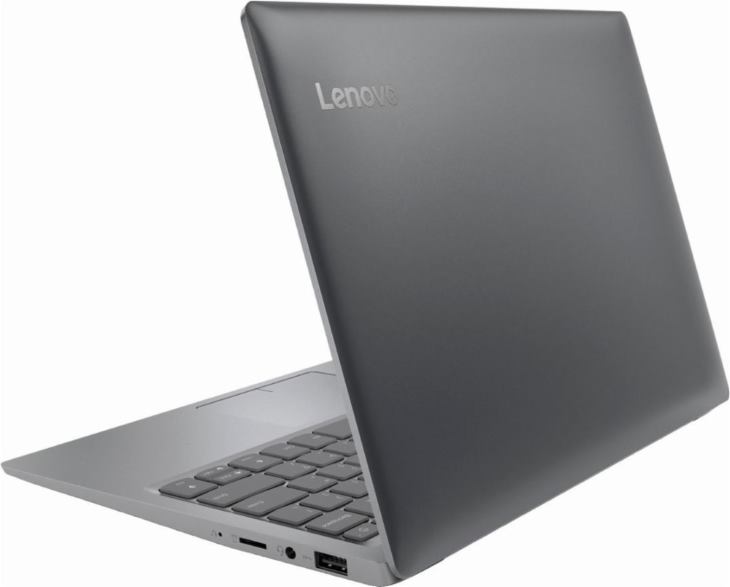
Rounding off the specs, the 120S-11IAP 81A40025US features a non-backlit chiclet-style keyboard, a big touchpad, stereo speakers, a web camera, 802.11AC Wi-Fi wireless, two USB 3.0 ports and a USB-C port, an HDMI video out, combo mic/headphones jack, and the aforementioned microSD card slot.
Specifications
| Brand | Lenovo |
|---|---|
| Laptop Type | Ultraportable (small laptop) |
| Screen Size | 11.6-inch |
| Screen Resolution | 1366x768 pixels HD |
| Touchscreen | No touchscreen |
| Other Display Specs | TN type |
| Processor (CPU) | Intel Celeron N3350 (able to complete everyday tasks, but can be sluggish) |
| Graphics (GPU) | Intel HD integrated graphics of low-end CPUs (only for the lightest gaming) |
| System Memory (RAM) Size | 2GB RAM |
| Data Storage | 32GB SSD |
| DVD Optical Drive | None |
| Keyboard & Input | Non-backlit keyboard without dedicated number pad Touchpad with click buttons built into the surface |
| Speakers & Audio | Stereo speakers Combo microphone and headphones audio jack |
| Camera | Front-facing web camera |
| Wi-Fi Wireless | 802.11AC |
| Ethernet Network Port | No |
| Mobile broadband (4G LTE) | No |
| Bluetooth | Yes |
| USB Ports | 1 x USB-C 2 x USB 3.0 |
| Video Output Ports | 1 x HDMI |
| Media Card Reader | MicroSD card reader |
| Battery | "Up to 8 hours" of battery life 2-Cell |
| Weight | 2.5 pounds |
| Height | 0.7" |
| Width | 11.5" |
| Depth | 7.9" |
| Windows Version | Windows 10 Home |
| Warranty | 1-year |
User Reviews, Questions and Answers
Below you can read and submit user reviews, questions, and answers about the 120S-11IAP 81A40025US. Thank you for your contribution.
Please CLICK HERE to provide e-mail for receiving notifications when there are new replies
(The e-mail won't be used for any other purposes.)
Related laptops

More Related Laptops
-

Asus Vivobook Go L510MA-WS05 Affordable Laptop (15.6″ FHD, Intel Celeron N4020, 4GB RAM, 128GB eMMC, 1-yr Microsoft 365)
200 USD* Read More -

HP 15-fd0079wm / A2BZ8UA#ABA Affordable Laptop (15.6″, Intel Celeron N200, 4GB RAM, 128GB UFS, 12-mo. Microsoft 365)
259 USD* Read More -

Acer Aspire 3 A314-36P-3772 14″ Laptop (FHD, Intel Core i3-N305, 8GB RAM, 128GB SSD)
349 USD* Read More -

Asus Zenbook 14 OLED Q415MA-U5512 Laptop (14″ Touch, Intel Ultra 5, 8GB RAM, 512GB SSD)
800 USD* Read More -

HP Stream 14-cf2733wm / A2BZ1UA#ABA Affordable Laptop (14″, Intel Celeron N4120, 4GB RAM, 64GB eMMC, 12-mo Office 365)
129 USD* Read More -

HP Pavilion Plus 16-ab0010nr / 8B898UA#ABA Laptop (16″, Intel i7, 16GB RAM, 512GB SSD)
1,100 USD* Read More -

ASUS TUF A17 FA706NF-RS51 Gaming Laptop (17.3″ FHD 144Hz, AMD Ryzen 5 7535HS, Nvidia RTX 2050, 8GB RAM, 512GB SSD)
785 USD* Read More -

HP 15-fc0037wm / 7W6H6UA#ABA Laptop (15.6″, AMD Ryzen 5 7520U, 8GB RAM, 256GB SSD)
559 USD* Read More -

Lenovo IdeaPad 1 82QD00APUS Laptop (15.6″, Intel i5-1235U, 8GB RAM, 256GB SSD)
444 USD* Read More
Question
chezzy –
i cannot access u tube screen comes up with squigel and dns message comes up – please help
Notify me of replies Unwatch this thread
Serg1571 –
but I think, you can buy it apart… mean, supposed have a slot to udate the memory? so you just buy a 4BG RAM and 500GB ssd so, jus open the laptop and install it :/
Notify me of replies Unwatch this thread
Safiyya –
Hi as a completely non tech savvy I need a basic laptop to set exam papers ans complete reports using excel. Is this good enough.. I need something budget friendly and not too heavy as I have to move around with it all day appreciate the feedback
Notify me of replies Unwatch this thread
Quiana –
Is this laptop good for a college student to do Microsoft Word, Powerpoints, and research at the same time?
Notify me of replies Unwatch this thread
Danijel Z –
I think this model isn’t a good solution for doing multiple tasks at the same time, because it has very small RAM size of 2GB. For the tasks you mentioned, at least 4GB is needed if you don’t want annoying slowdowns. Also, the included Intel Celeron processor is among the slowest. For these Office apps + for instance Chrome browser (for online research), you should get a laptop with at least Intel Core i3 processor (i5 and i7 are even better) and 4 or 8 GB of RAM.
True, the Lenovo 120S-11IAP 81A40025US will be able to complete these tasks, but slowdowns will very likely occur during these activities.
Jeff –
Exactly!
Mike –
I’m looking for a budget laptop and want to use the laptop to remote into my pc at work
Based on the specs of this laptop, is it capable of remoting into a PC?
The work i would be doing remotely would be running different applications and excel
Notify me of replies Unwatch this thread
Danijel Z –
Hi, I have used TeamViewer remote desktop software on a similar device with an Intel Celeron CPU and 2GB RAM to control another Windows PC. Everything worked just fine, without slowdowns or other issues. I haven’t tried other remote desktop client programs, but I assume they should work just fine, because they generally aren’t hardware-demanding.
What matters a lot for smoothness of remote desktop is network connection speed. That can be troublesome if you run bandwidth demanding remote desktop tasks like video editing/playback. For Excel and similar apps it doesn’t matter that much. Screen resolution might be an issue too, if you for instance want to run Full HD remote desktop on the screen of the IdeaPad 120S-11IAP 81A40025US which is up to HD. There’s an option in TeamViewer to scale the remote desktop resolution, but your picture quality might suffer.