
HP Envy 17t 3EN04AV_1 (2018) 17.3″ Laptop (Intel i7, Nvidia MX150, Optional Touch)
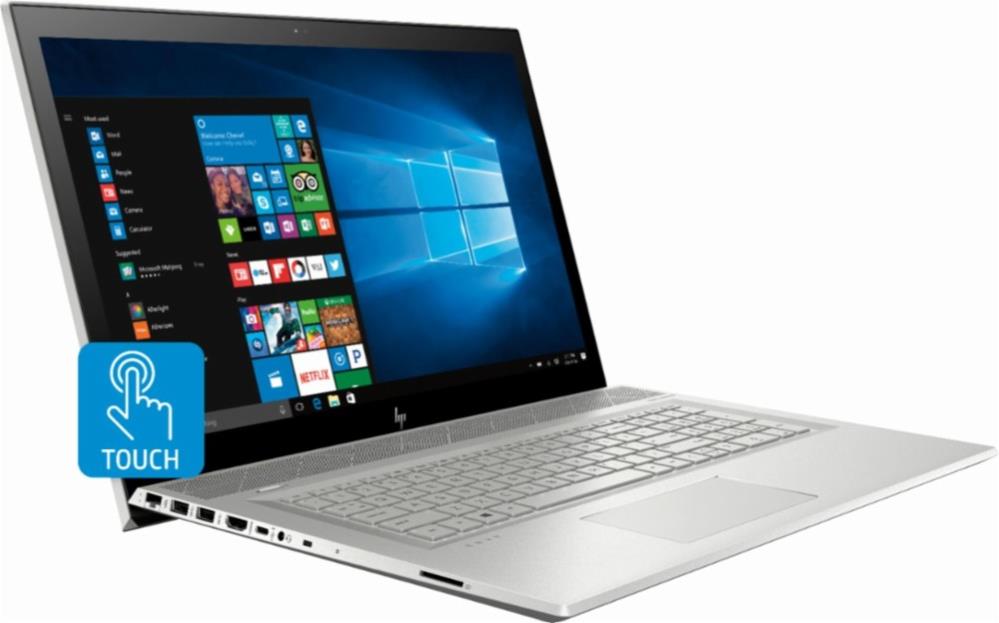
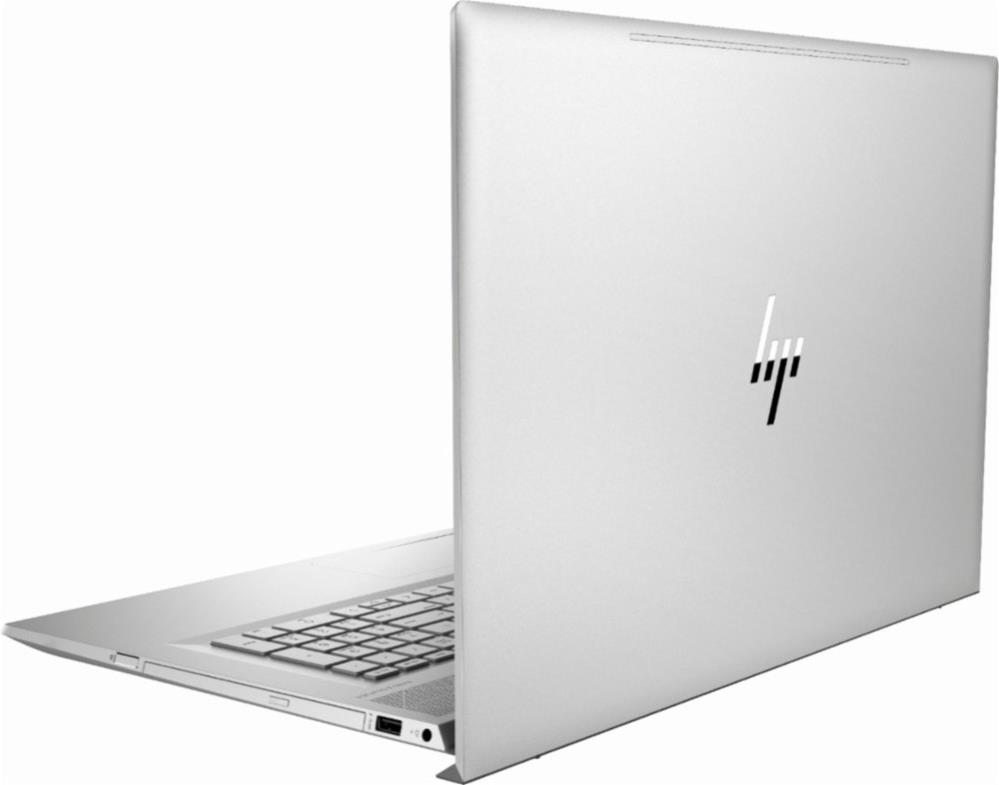
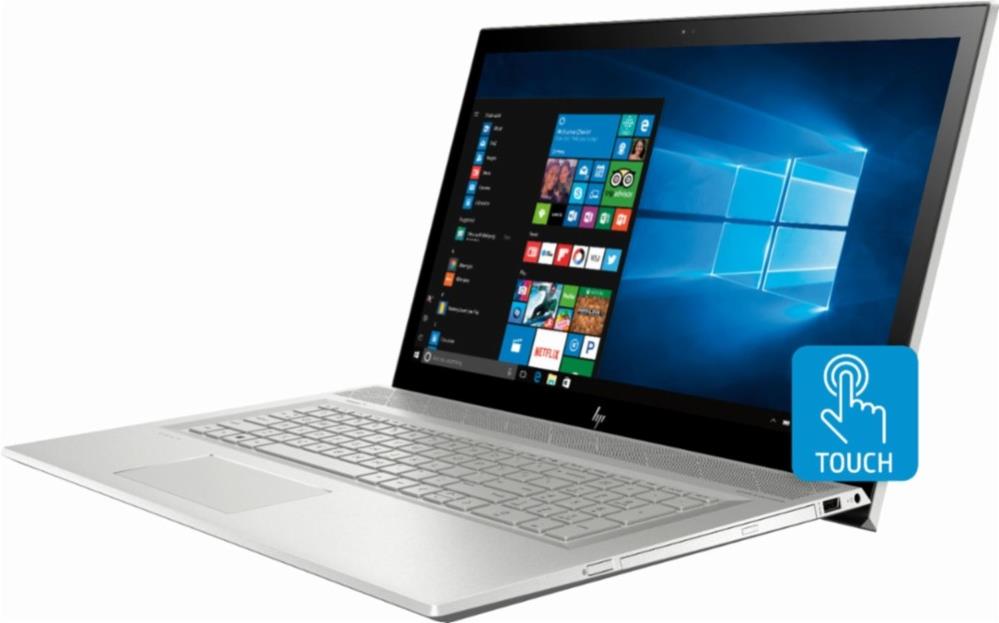

The HP Envy 17t 3EN04AV_1 laptop for 2018 is a configurable higher-end big-screen model starting at around $1,000. This desktop PC replacement laptop features a large 17.3-inch display with either sharp Full HD or ultra-sharp 4K screen resolution, IPS wide viewing angles, and optional touch support on the Full HD variant. The 6.7-pound aluminum-clad Envy 17t 3EN04AV_1 provides keyboard backlight and excellent internal components. The laptop packs the 8th Gen Intel Core i7-8550U quad-core processor, which is among the fastest laptop CPUs. The chip is accompanied by the Nvidia GeForce MX150 2GB dedicated video card. The MX150 is a basis discrete video card for laptops, but it provides better graphics power than the usual Intel UHD 620 integrated graphics. The laptop has two RAM slots and comes with up to 16GB of RAM. Data storage options include a standard 1-Terabyte hard disk drive, the same drive plus either a 128GB or 256GB solid state drive, or a 512GB SSD only. Furthermore, the 1TB HDD can be supplemented with 16GB of Intel Optane memory to enhance speed of the HDD. The Envy 17t 3EN04AV_1 has a built-in DVD drive and a decently-sized 52.5 WHr battery. It can provide a battery life of up to 9 hours, according to HP.
Specifications
| Brand | HP |
|---|---|
| Laptop Type | Standard non-convertible laptop |
| Screen Size | 17.3-inch |
| Screen Resolution | 1920x1080 pixels Full HD 3840x2160 pixels Ultra HD, 4K |
| Touchscreen | Finger multi-touch input (optional) |
| Other Display Specs | IPS type |
| Processor (CPU) | Intel Core i7-8550U 8th Gen (decent for heavier tasks, besides enabling effortless daily computing) |
| Graphics (GPU) | Nvidia GeForce MX150 2GB dedicated video card (for light gaming, but with improved smoothness) |
| System Memory (RAM) Size | 8GB RAM 12GB RAM 16GB RAM |
| Data Storage | 512GB SSD 1000GB (1TB) HDD 1000GB (1TB) HDD + 16GB Optane 1000GB (1TB) HDD + 128GB SSD 1000GB (1TB) HDD + 256GB SSD |
| DVD Optical Drive | DVD writer |
| Keyboard & Input | Backlit keyboard with dedicated number pad Touchpad with click buttons built into the surface Touchscreen (optional) |
| Speakers & Audio | Stereo speakers Combo microphone and headphones audio jack |
| Camera | Front-facing web camera HD 720p resolution |
| Wi-Fi Wireless | 802.11AC |
| Ethernet Network Port | Yes |
| Bluetooth | Yes |
| Mobile broadband (4G LTE) | No |
| USB Ports | 1 x USB-C 3 x USB 3.1 |
| Video Output Ports | 1 x HDMI Video out via USB-C |
| Media Card Reader | SD card reader |
| Battery | 52.5 WHr capacity |
| Weight | 6.6 pounds |
| Height | 0.9" |
| Width | 16.4" |
| Depth | 10.9" |
| Windows Version | Windows 10 Home Windows 10 Pro |
| Warranty | 1-year |
User Reviews, Questions and Answers
Below you can read and submit user reviews, questions, and answers about the HP Envy 17t (3EN04AV_1, 2018). Thank you for your contribution.
Please CLICK HERE to provide e-mail for receiving notifications when there are new replies
(The e-mail won't be used for any other purposes.)
Related laptops
More Related Laptops
-

Asus Vivobook Go L510MA-WS05 Affordable Laptop (15.6″ FHD, Intel Celeron N4020, 4GB RAM, 128GB eMMC, 1-yr Microsoft 365)
200 USD* Read More -

HP 15-fd0079wm / A2BZ8UA#ABA Affordable Laptop (15.6″, Intel Celeron N200, 4GB RAM, 128GB UFS, 12-mo. Microsoft 365)
259 USD* Read More -

Acer Aspire 3 A314-36P-3772 14″ Laptop (FHD, Intel Core i3-N305, 8GB RAM, 128GB SSD)
349 USD* Read More -

Asus Zenbook 14 OLED Q415MA-U5512 Laptop (14″ Touch, Intel Ultra 5, 8GB RAM, 512GB SSD)
800 USD* Read More -

HP Stream 14-cf2733wm / A2BZ1UA#ABA Affordable Laptop (14″, Intel Celeron N4120, 4GB RAM, 64GB eMMC, 12-mo Office 365)
129 USD* Read More -

HP Pavilion Plus 16-ab0010nr / 8B898UA#ABA Laptop (16″, Intel i7, 16GB RAM, 512GB SSD)
1,100 USD* Read More -

ASUS TUF A17 FA706NF-RS51 Gaming Laptop (17.3″ FHD 144Hz, AMD Ryzen 5 7535HS, Nvidia RTX 2050, 8GB RAM, 512GB SSD)
785 USD* Read More -

HP 15-fc0037wm / 7W6H6UA#ABA Laptop (15.6″, AMD Ryzen 5 7520U, 8GB RAM, 256GB SSD)
559 USD* Read More -

Lenovo IdeaPad 1 82QD00APUS Laptop (15.6″, Intel i5-1235U, 8GB RAM, 256GB SSD)
444 USD* Read More
John Meredith –
I have requested to purchase these laptops through government channels and I would like to know which docking station works with this laptop
Notify me of replies Unwatch this thread
Danijel Z –
Hi, the HP Envy laptops, including the 17t, doesn’t have a dedicated docking connector, which can be usually found on (mostly older) business-class laptops. Instead, you can use a USB docking station and connect it via one of the laptop’s USB ports. I think that the most of the available USB docking stations will work with this laptop, but I would suggest you to get a USB 3.1 or USB-C 3.1 compatible dock for the best performance for data transfers and video output (if the dock has video out). A good example of such is this Belkin dock: https://www.belkin.com/us/p/P-F4U093/
Regards!