
Acer Aspire One Cloudbook 14″ AO1-431-C7F9 $200 Laptop (Intel Celeron, 2GB/64GB, Windows 10, Office, Gray)
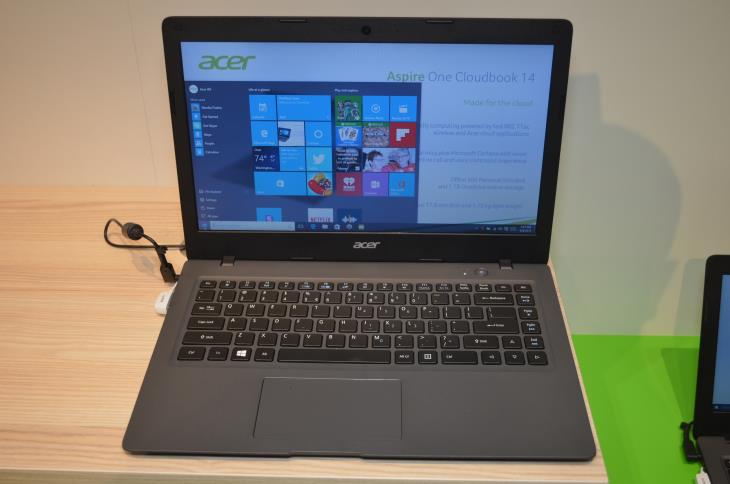
The Acer Aspire One Cloudbook 14 is the cheapest 14-inch notebook PC by Acer ever. Although it is priced at only $200 after discounts, the Cloudbook 14 – or particularly the only available AO1-431-C7F9 configuration – has many similar competitors, as you can see on this page.
The Cloudbook 14 AO1-431-C7F9 is better than many of them when it comes to data storage, since it has 64GB eMMC capacity instead of 32GB. The rest of the specs is quite uniform across the ultra-cheap 14″ laptop category, including Acer’s contender. The Windows 10 Home-based AO1-431-C7F9 features the usual budget-class 1366-by-768-pixel display resolution and lacks IPS and touchscreen support. On the positive side, the display features anti-reflective finish. For computing, there’s the entry-level Intel Celeron N3050 dual-core processor, we reviewed recently. The chip offers satisfactory performance only for the light daily chores like web surfing, media playback, work in Office applications, and the lightest possible gaming. However, 2GB of system memory is really low for today’s PC standards. You won’t be able to multitask heavily on this machine without big slowdowns. For further expansion of storage capacity, you can insert an SD card into the laptop and also use 1 terabyte of OneDrive cloud storage. 1TB OneDrive is included in the Microsoft Office 365 Personal package. Both are free of charge during the first year, if you purchase the Cloudbook.
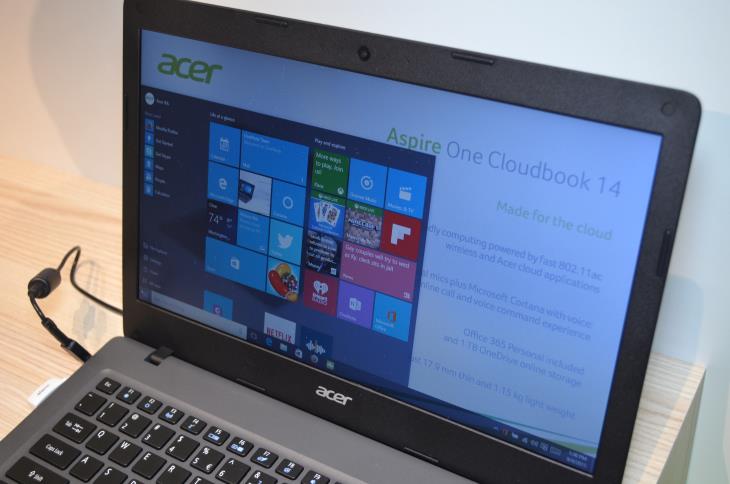
The laptop has a comfortably spacious keyboard without number pad and key backlight. The trackpad is quite big, but it lacks physical “click” buttons which provide a better and more intuitive tactile experience.
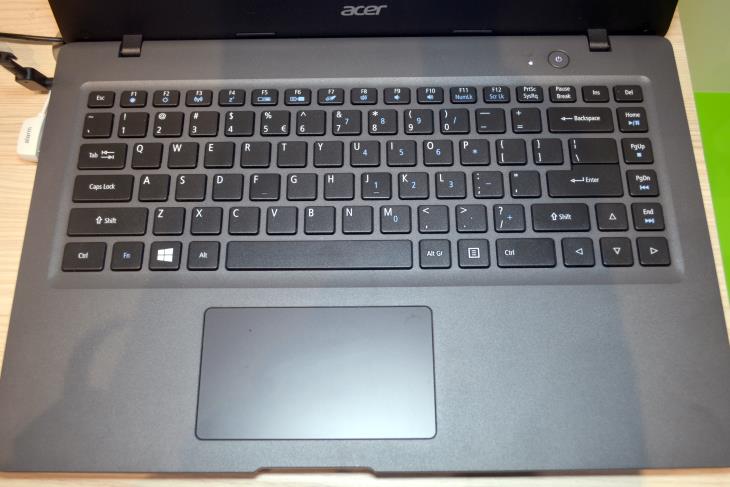
On the left side of the shell located are a power connector, HDMI video out, USB 3.0, a combo audio port, and full-size SD card slot.
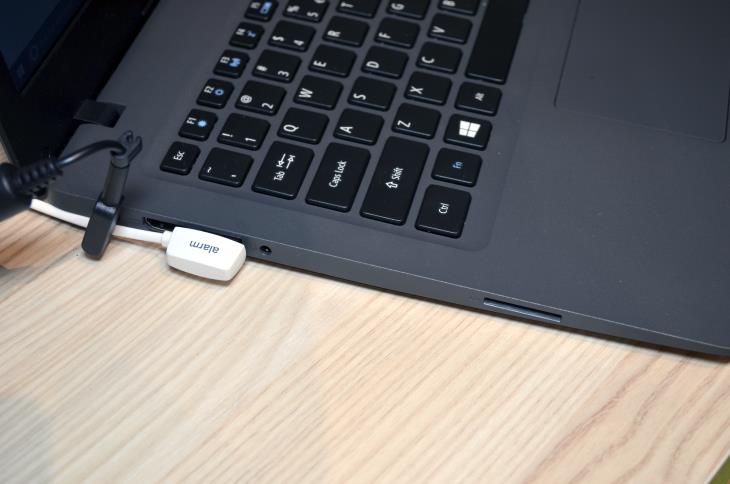
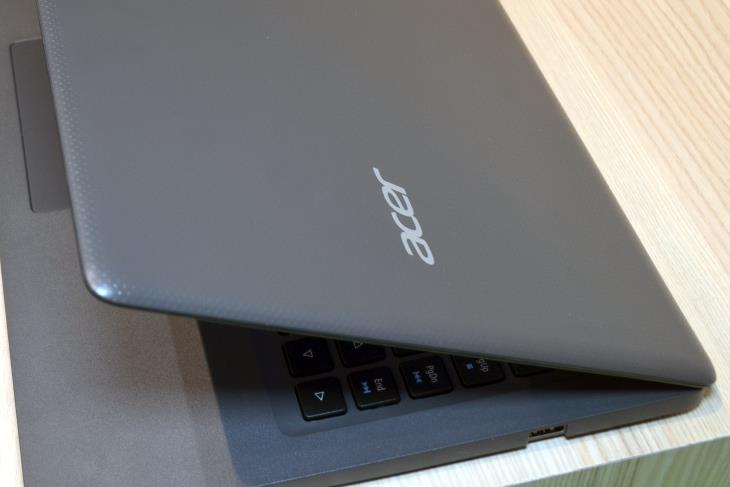
The right side carries only a single USB 2.0 port. On the image, you can also see dotted pattern on the lid, as well as “mineral” palmrest. Both surfaces are made of plastics.
Other included features are down-firing stereo speakers a low-resolution VGA web camera, 802.11AC wireless, and Bluetooth.
Acer claims the battery life of this laptop can last “up to 12 hours”.
The machine is easy to carry around, since it weighs 3.5 pounds. The chassis is 0.7″ thick. If you however want an even more portable version of the same laptop, you can take a look at the smaller (and cheaper) 11.6″ Acer Aspire One Cloudbook 11.
Specifications
| Brand | Acer |
|---|---|
| Screen Size | 14-inch |
| Screen Resolution | 1366x768 pixels HD |
| Touchscreen | No touchscreen |
| Other Display Specs | TN type |
| Processor (CPU) | Intel Celeron N3050 (able to complete everyday tasks, but can be sluggish) |
| Graphics (GPU) | Intel HD integrated graphics of low-end CPUs (only for the lightest gaming) |
| System Memory (RAM) Size | 2GB RAM |
| Data Storage | 64GB SSD |
| DVD Optical Drive | None |
| Keyboard & Input | Non-backlit keyboard without dedicated number pad Touchpad with click buttons built into the surface |
| Speakers & Audio | Stereo speakers Combo microphone and headphones audio jack |
| Camera | Front-facing web camera |
| Wi-Fi Wireless | 802.11AC |
| Ethernet Network Port | No |
| Mobile broadband (4G LTE) | No |
| Bluetooth | Yes |
| USB Ports | 1 x USB 3.0 + 1 x USB 2.0 |
| Video Output Ports | 1 x HDMI |
| Media Card Reader | SD card reader |
| Other Features | Microsoft (Office) 365 Personal 1-year subscription for free |
| Battery | "Up to 12 hours" of battery life |
| Weight | 3.5 pounds |
| Height | 0.7" |
| Width | 13.4" |
| Depth | 9.3" |
| Windows Version | Windows 10 Home |
| Warranty | 1-year |
User Reviews, Questions and Answers
Below you can read and submit user reviews, questions, and answers about the Acer Aspire One Cloudbook 14 AO1-431-C7F9. Thank you for your contribution.
Please CLICK HERE to provide e-mail for receiving notifications when there are new replies
(The e-mail won't be used for any other purposes.)
More Related Laptops
-

Asus Vivobook Go L510MA-WS05 Affordable Laptop (15.6″ FHD, Intel Celeron N4020, 4GB RAM, 128GB eMMC, 1-yr Microsoft 365)
200 USD* Read More -

HP 15-fd0079wm / A2BZ8UA#ABA Affordable Laptop (15.6″, Intel Celeron N200, 4GB RAM, 128GB UFS, 12-mo. Microsoft 365)
259 USD* Read More -

Acer Aspire 3 A314-36P-3772 14″ Laptop (FHD, Intel Core i3-N305, 8GB RAM, 128GB SSD)
349 USD* Read More -

Asus Zenbook 14 OLED Q415MA-U5512 Laptop (14″ Touch, Intel Ultra 5, 8GB RAM, 512GB SSD)
800 USD* Read More -

HP Stream 14-cf2733wm / A2BZ1UA#ABA Affordable Laptop (14″, Intel Celeron N4120, 4GB RAM, 64GB eMMC, 12-mo Office 365)
129 USD* Read More -

HP Pavilion Plus 16-ab0010nr / 8B898UA#ABA Laptop (16″, Intel i7, 16GB RAM, 512GB SSD)
1,100 USD* Read More -

ASUS TUF A17 FA706NF-RS51 Gaming Laptop (17.3″ FHD 144Hz, AMD Ryzen 5 7535HS, Nvidia RTX 2050, 8GB RAM, 512GB SSD)
785 USD* Read More -

HP 15-fc0037wm / 7W6H6UA#ABA Laptop (15.6″, AMD Ryzen 5 7520U, 8GB RAM, 256GB SSD)
559 USD* Read More -

Lenovo IdeaPad 1 82QD00APUS Laptop (15.6″, Intel i5-1235U, 8GB RAM, 256GB SSD)
444 USD* Read More
Lon –
the combo audio jack. used to see when i plugged a cord or device into it a list of questions: is this a mic, speaker, headset, earpiece etc? now don’t see that anymore and don’t know how to get line in function to recognize either a 3/8 mic/spkr or spkr male jack. how to fix?
Notify me of replies Unwatch this thread
Danijel Z –
Is any mic input enabled in the Control Panel / Sound / Recording? There should be at least one enabled there. Also, are there audio drivers present (without a “!” warning sign near it) in the Device Manager / Audio input and outputs and Device Manager / Sound, video, and game controllers? If not you’ll need to install / reinstall your audio drivers. What driver do you use currently? Some manufacturers supply their soundcards with dedicated audio software, where you can manage inputs & outputs.